
Dilemmo: Make Better Decisions
Deepstash SRLEducation
4.1280.00 Reviews
- Version
- 4.3.1
- Installs
- 100.00K
- Age Rating
- Everyone
Screenshots

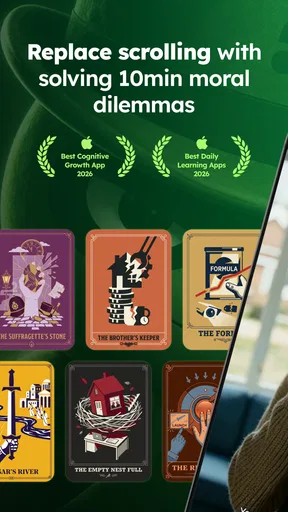
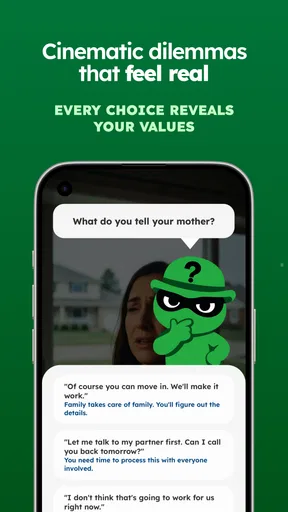
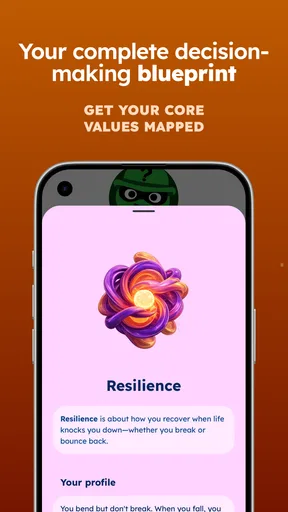
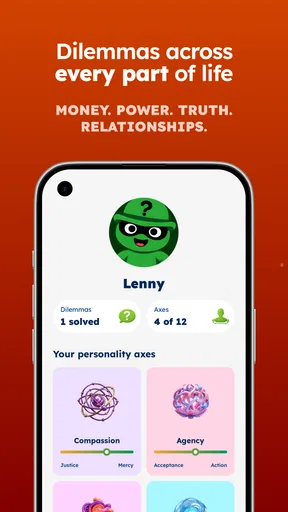
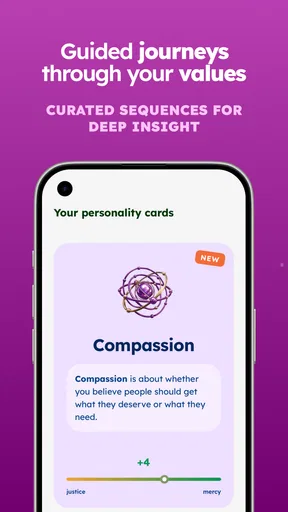

Our Review of Dilemmo: Make Better Decisions
 Analysis by Appyee
I approached Dilemmo: Make Better Decisions as a small education app for moments when I am stuck between two choices, not as a complete course or a productivity system. Its idea is simple: use a daily thought experiment to slow down, examine a dilemma, and notice how I make decisions. That narrow purpose is also its appeal. I can open it for a short mental reset instead of committing to a long lesson.
The app is developed by Deepstash SRL and is available as a free download for everyone. It has attracted over fifty thousand installs and holds an average rating of 3.9 from around one thousand ratings, so it has enough public use to feel established while still being a relatively small product. The current version is 3.4.1, and it runs on Android 7.0 or later. Optional purchases range from $14.99 to $99.99 per item, which is worth remembering before treating the free entry point as the whole experience.
What using Dilemmo feels like in everyday life
The most useful way to understand this app is as a prompt for deliberate thinking. Instead of asking me to memorize information or complete a conventional quiz, it puts attention on the reasoning behind a choice. That makes it suitable for a quiet start to the day, a break between tasks, or an evening review when I want to understand why a decision felt difficult.
A realistic example is choosing between accepting extra work and protecting a planned evening. I might already know the practical answer, but a thought experiment can expose the values competing underneath it: money, reliability, rest, ambition, or personal boundaries. Dilemmo does not need to make the choice for me to be useful. Its value is in making the hidden trade-off easier to see.
I would not use it as a replacement for a calendar, a budgeting tool, a mental-health service, or advice from someone who understands a serious personal situation. It belongs in the space between reflection and light learning. That distinction matters because users expecting detailed decision trees, professional coaching, or measurable progress may find the experience too open-ended.
The daily format is particularly helpful for people who enjoy short prompts but struggle to maintain a journaling habit. A question gives me a starting point, while the thought-experiment framing encourages more than an instant yes-or-no reaction. I can consider what I would do, why I would do it, and whether the same reasoning would apply if one detail changed.
Where I would expect users to get stuck
The first point of friction is conceptual. A user may open the app expecting a standard educational feed with clear answers, then wonder what they are supposed to “finish.” Dilemmo is more reflective than instructional. There may be no single response that feels officially correct, and that can seem unsatisfying if I am looking for a direct lesson or a score.
Another possible sticking point is the effort required from the reader. A thought experiment only works when I pause long enough to examine it. If I swipe through each prompt as quickly as social content, the app becomes a stream of interesting questions rather than a decision-making exercise. That is not necessarily a flaw, but it means the quality of the experience depends heavily on how deliberately I use it.
I also found that personal relevance can vary. One prompt may connect immediately with a current problem, while another may feel distant or too abstract. I would avoid judging the entire app from one unhelpful session. The better test is whether the overall format gives me enough useful moments to justify returning.
There is a subtle trade-off here: broad dilemmas are easy to relate to, but they may not offer the detailed context needed for a complicated real decision. If I am comparing job offers, handling debt, or making a medical choice, a short prompt can help me identify values but cannot replace careful research. I would use the app to frame the question, never to outsource the answer.
Setup checks before forming an opinion
Because this is a free app with optional purchases, I would pay attention during the initial setup and early browsing rather than tapping through automatically. I want to understand which parts are available immediately and which parts may lead toward a paid option. The purchase range is substantial enough that I would check the wording on any upgrade screen carefully and avoid assuming that every feature belongs to the free experience.
I would also confirm that my phone meets the Android requirement before troubleshooting anything else. Dilemmo supports Android 7.0 and later, so an older device or an unusually restricted software environment could create problems unrelated to the app’s content. On a compatible phone, I would begin with a normal restart and make sure the app is updated to version 3.4.1 if an update is offered.
For a first session, I recommend setting aside a few uninterrupted minutes and trying several prompts rather than opening the app while rushing. This gives a fairer impression of its rhythm. I would read each dilemma once, identify the choice I instinctively prefer, and then ask what assumption produced that reaction. That simple routine turns passive browsing into a repeatable exercise.
It is also useful to decide what I want from the session. If my goal is self-awareness, I can focus on the reasons behind my answer. If my goal is communication, I can explain the dilemma to a friend and compare our assumptions. If my goal is a concrete decision, I can write down the relevant facts separately, because a philosophical prompt should not be mistaken for evidence.
One practical tip is to keep a very short private note after a prompt: the decision, the value that mattered most, and one fact that could change my mind. This creates a stronger workflow than simply remembering whether I liked a question. It also reveals whether the app is helping me think more clearly or merely entertaining me.
Recovering when a session does not go smoothly
When an app does not behave as expected, I start with ordinary checks rather than assuming the content itself is broken. I close and reopen Dilemmo, restart the phone, and verify that the operating system is supported. If the problem appears after an update, I would check the app’s page in the relevant store for a newer release before taking more drastic steps.
If content seems repetitive or a session feels empty, I would first test the experience across more than one visit. A daily thought-experiment format naturally changes over time, and one uninteresting prompt does not prove that the whole feed is limited. I would also avoid rapidly reopening and closing the app, since that makes it harder to tell whether the issue is content selection, loading, or simply a poor moment for the format.
For purchase-related friction, I would read the exact item description and confirm which account is being used before trying again. I would not repeatedly tap a purchase button when the result is unclear. Checking the platform’s purchase history and support options is safer than guessing, especially because individual items can cost as much as $99.99.
If the app closes unexpectedly, the sensible sequence is to restart it, update it, and free a little device storage if the phone is crowded. Reinstalling should be a later step, not the first one, because removing an app can affect any locally held session information. I would make sure I understand what I might lose before choosing that route.
There is also a recovery method for the thinking process itself. If I cannot answer a dilemma, I can replace “What should I choose?” with three smaller questions: what do I know, what am I assuming, and what consequence am I willing to accept? This keeps the session productive even when the original prompt feels too vague.
When the app is not the cause
Some disappointing experiences come from a mismatch between the tool and the task. If I need a checklist of competing options, a spreadsheet or notes app is better. If I need reminders and deadlines, a task manager is more appropriate. If I want structured lessons with explanations and tests, a conventional education platform will probably feel more satisfying than a stream of dilemmas.
Likewise, indecision can come from missing information rather than weak reasoning. A prompt may help me notice that I value stability, but it cannot tell me whether a contract is fair or whether a purchase fits my budget. In those situations, the next step is gathering facts, asking a qualified person, or delaying the decision until the important uncertainty is resolved.
My mood can also change how the app feels. When I am tired, anxious, or under pressure, an open-ended question may feel irritating instead of useful. That does not mean the app failed. It may simply be the wrong moment for reflection. I would switch to a concrete action, such as writing down the immediate next step, and return to Dilemmo when I have enough attention to engage with the prompt.
There is a similar issue with social comparison. Discussing a dilemma with another person can be revealing, but different answers do not automatically make one person wiser. I would use disagreement to uncover different priorities, not to turn the app into a competition. That approach is especially valuable when using a prompt as a conversation starter with a partner, colleague, or friend.
Users who prefer fixed goals should know what they are choosing. Dilemmo is not the best fit if I need badges, a visible curriculum, detailed performance tracking, or a clear certificate at the end. Its strength is the quality of a pause, not the quantity of content completed. People who enjoy reflective questions and can create their own structure are more likely to appreciate it.
Small workflows that make the app more useful
My favorite workflow is the “first answer, revised answer” method. I respond quickly, identify the reason for that response, then imagine one changed condition and reconsider. For example, if I choose convenience over fairness, I can ask whether my answer changes when the cost is shared by someone else. This exposes which details actually control my judgment.
A second workflow is to use a prompt before a real conversation. I read it alone, write down my position in one sentence, and then explain the reasoning without trying to persuade anyone. This helps separate a preference from a principle. It is especially useful before negotiating responsibilities at home or discussing a difficult choice at work.
A third is to group sessions by decision style rather than by topic. After several uses, I can notice whether I tend to prioritize certainty, speed, loyalty, autonomy, or avoiding conflict. That pattern is more valuable than remembering individual prompts. It can show me when I am making a consistent choice and when I am applying different standards to similar situations.
I would keep the notes lightweight. Turning every prompt into a long journal entry could make the app feel like homework and defeat its quick, daily character. A few lines are enough to preserve the insight. The point is not to build an impressive archive; it is to notice a recurring habit while the example is fresh.
Another useful trade-off is choosing when not to answer. If a dilemma touches a sensitive subject, I can treat it as an observation exercise instead of forcing a personal position. Asking what different people might value can still develop perspective without making me disclose more than I want to. That makes the app easier to use in shared spaces or casual breaks.
Who should try it, and who should skip it
I would recommend Dilemmo to curious adults and older children who enjoy “what would you do?” questions and want a small daily prompt for reflection. Its Everyone content rating makes it broadly approachable, although I would still use judgment when discussing a dilemma with a child because the meaning of a scenario can depend on age and context.
It is also a good match for someone who starts journals enthusiastically but abandons blank pages. A prompt removes the hardest part of journaling: deciding what to write about. It may suit a study break, a commute when I am not driving, or a short evening routine. The app is simple enough to fit around a busy day, provided I treat it as an intentional pause rather than another feed to consume.
I would skip it if I want direct answers, formal instruction, or a tool that measures improvement in a precise way. I would also skip relying on it for high-stakes decisions. The app can sharpen the questions I ask myself, but it cannot verify facts, calculate every consequence, or understand my circumstances as well as I do.
Compared with meditation apps, Dilemmo is less about calming the body and more about examining judgment. Compared with journaling apps, it supplies the starting point but may offer less freedom for documenting a whole situation. Compared with educational quiz apps, it is less concerned with right answers. Those differences are not weaknesses in themselves; they show why the app works best as a focused companion rather than an all-purpose learning tool.
My practical verdict after using it
The best reason to keep Dilemmo installed is the friction it adds before an automatic decision. A daily thought experiment can interrupt a habit, reveal a value, or start a worthwhile conversation. I appreciate that it does not need to pretend every personal question has one universal solution. In the right mood, a short prompt can stay with me longer than a much larger lesson.
Still, I would approach the free download with realistic expectations. The experience depends on my willingness to pause, and the optional purchases deserve careful attention before I commit to anything. Some prompts will feel immediately relevant while others may not. The app will not replace practical planning, expert advice, or a proper record of important decisions.
For me, the deciding question is whether I want a daily nudge to think more consciously. If the answer is yes, Dilemmo offers a distinctive education experience from Deepstash SRL and is easy to test without paying at the door. If I want structured courses, measurable progress, or concrete decision tools, I would choose a different category of app instead.
Overall, I see it as a useful reflective habit in a small package: worthwhile when I give each dilemma attention, limited when I expect it to solve the dilemma for me. I would recommend trying it for several sessions, using the short note-taking workflow, and judging it by the quality of the thinking it triggers rather than by how quickly I move through its prompts.
Privacy and Permissions
See what permissions an app requests and how it handles your data.
- Photos/Media/Files
- read the contents of your USB storage, modify or delete the contents of your USB storage
- Storage
- read the contents of your USB storage, modify or delete the contents of your USB storage
- Camera
- take pictures and videos
- Microphone
- record audio
- Wi-Fi connection information
- view Wi-Fi connections
- Other
- view network connections, full network access, change your audio settings, control Near Field Communication, run at startup, draw over other apps, control vibration, prevent device from sleeping, Google Play license check
Verdict
Strengths of Dilemmo: Make Better Decisions
- Simple interface makes everyday choices quick and easy.
- Customizable options let you compare decisions in a personal way.
- Useful for settling group choices without lengthy discussions.
- Helps clarify priorities by presenting alternatives side by side.
- Lightweight experience with little setup required.
Limitations of Dilemmo: Make Better Decisions
- Decision results may feel too simplistic for complex personal choices.
- Requires honest and complete input to produce useful comparisons.
- Some features may be limited without an account or premium access.
- Not ideal for users seeking expert advice or detailed analysis.
- Frequent decision prompts could become repetitive over time.
Other Releases by Deepstash SRL
View All
Paladin: Learn History
Education4.5

Empirio: Learn Business
Education4.8
Similar Picks in This Category
View All
Duolingo: Language Lessons
Duolingo4.7

Google Classroom
Google LLC2.8

Unacademy: Learn & Crack Exams
Unacademy3.2

Bible App for Kids
Life.Church4.4

Cake - Learn English & Korean
Cake Corp.4.7

Brainly: AI Homework Helper
Brainly4.5
Frequently Asked Questions
What is Dilemmo: Make Better Decisions?
Dilemmo: Make Better Decisions is a decision-making app designed to help you think through difficult choices in a more structured way. Instead of relying only on impulse, you can describe a dilemma, compare possible options, consider advantages and disadvantages, and reflect on what matters most to you. It can be useful for everyday choices, personal planning, relationships, work decisions, and other situations where you want a clearer perspective.
How does Dilemmo help me choose between different options?
The app guides you through the decision process by encouraging you to define the problem, list the alternatives, and examine the possible consequences of each choice. This approach can make confusing situations feel more manageable and may reveal priorities you had not considered. Dilemmo does not make the decision for you; rather, it works as a practical reflection tool that helps organize your thoughts before you commit to an option.
Is Dilemmo suitable for important or life-changing decisions?
Dilemmo can be helpful when you need to organize your thoughts about an important decision, but it should not be treated as a replacement for professional advice. Choices involving medical treatment, legal matters, finances, safety, or serious mental-health concerns require guidance from a qualified professional. The app is best used as a personal planning and reflection aid, helping you prepare questions and understand your own preferences more clearly.
Does Dilemmo: Make Better Decisions require an account or internet connection?
The exact requirements may depend on the version of Dilemmo and the platform where you download it. Before installing, check the app-store listing for current information about account creation, offline access, permissions, and supported devices. Some features may work locally, while others could require an internet connection for synchronization, updates, or additional services. Reviewing these details is recommended if privacy or offline use is important to you.
Is Dilemmo free to download and use?
Dilemmo’s pricing and available features can vary according to the Android or iOS version, region, and current developer policies. The store page should clearly indicate whether the app is completely free, supported by advertising, or includes optional in-app purchases or subscriptions. It is worth checking the payment terms before starting a trial, especially if premium tools, extended decision history, or additional customization options are offered.
